Introduction
Refactoring Vibe Studio output into reusable widgets is a practical step for any Flutter mobile development workflow. Vibe Studio (or other design-to-code tools) accelerates prototyping but often produces large, flat widget trees with duplicated styling and logic. This tutorial shows a disciplined approach to identify patterns, extract widgets, manage styling, and optimize composition so the generated code becomes maintainable, testable, and ready for production.
Identify Reusable UI Patterns
Start by scanning the generated layout for repetition: repeated Rows/Columns, cards, avatar+label pairs, buttons with identical shapes, or repeated spacing patterns. Group similar subtrees visually and by responsibility. Create a simple rubric: if a subtree repeats more than twice or contains conditional layout/interaction, it's a candidate for extraction.
Practical steps:
Use the IDE’s selection tools to measure subtree size and references.
Replace identical inline styles with constants to reveal duplication.
Sketch a small component map: Card, ListItem, ActionButton, Header.
This reduces cognitive load when you begin extraction and prevents over-extraction of one-off elements.
Extract Stateless And Stateful Widgets
Extraction should preserve behavior while clarifying intent. Start with stateless components: presentational blocks that depend only on input parameters. For components that hold animation controllers, input focus, or local form state, create StatefulWidgets.
Guidelines:
Define a small, expressive public API for each widget (props only, not BuildContext plumbing).
Favor composition over inheritance; compose smaller widgets instead of creating monolithic classes.
Keep build methods under ~50 lines by delegating subparts to private helpers.
Example: convert a repeated avatar + label subtree into a simple stateless widget.
class AvatarLabel extends StatelessWidget {
  final String label;
  final String imageUrl;
  const AvatarLabel({required this.label, required this.imageUrl, Key? key}) : super(key: key);
  @override
  Widget build(BuildContext context) => Row(children: [CircleAvatar(backgroundImage: NetworkImage(imageUrl)), SizedBox(width: 8), Text(label)]);
}
When a subtree requires animation, convert it to a StatefulWidget and expose controllers via callbacks only if external coordination is required.
Manage Styling And Theming
One common smell from generated code is duplicated color, text style, and spacing literals. Centralize these into theme extensions or constants so changes propagate consistently across your app.
Use Theme.of(context).textTheme and ThemeData extensions for typography.
Create a design_tokens.dart for colors, radii, and spacing constants.
Prefer EdgeInsets.symmetric and sized Boxes from a spacing scale (e.g., Spacing.small) instead of magic numbers.
Example pattern for spacing constants:
class Spacing { static const double xs = 4; static const double s = 8; static const double m = 16; static const double l = 24; }Replace repeated literal paddings and font sizes with tokens. Then update ThemeData to reflect brand styles; your extracted widgets read from theme instead of embedding values.
Optimize For Performance And Composition
After extraction and theming, run quick performance checks: look for deep rebuilds, unbounded lists, and redundant layouts.
Use const constructors where possible to reduce rebuild cost.
Wrap frequently rebuilt children in const or use ValueListenableBuilder/AnimatedBuilder to localize state changes.
For lists, prefer ListView.builder over building all children at once.
Replace nested containers with DecoratedBox and SizedBox to simplify the render tree.
Measure using the Flutter DevTools: check build times and layer counts. If Vibe Studio output uses many Positioned widgets or stacks unnecessarily, refactor to simpler layouts or slivers for large scrolling content.
Always write small widget tests for extracted components: assert layout and behavior with testWidgets. Tests both document expectations and prevent regressions when you refactor styles or themes.
Collaboration And Incremental Refactor
When working in a team, perform extraction incrementally. Keep PRs focused: one widget extraction per change when possible. Add usage examples in storybook-like tooling (e.g., widgetbook or custom preview page) so designers and developers can validate extracted widgets against the original Vibe Studio design.
Use feature flags or an isolation branch if you need to swap generated screens gradually with refactored versions.
Vibe Studio
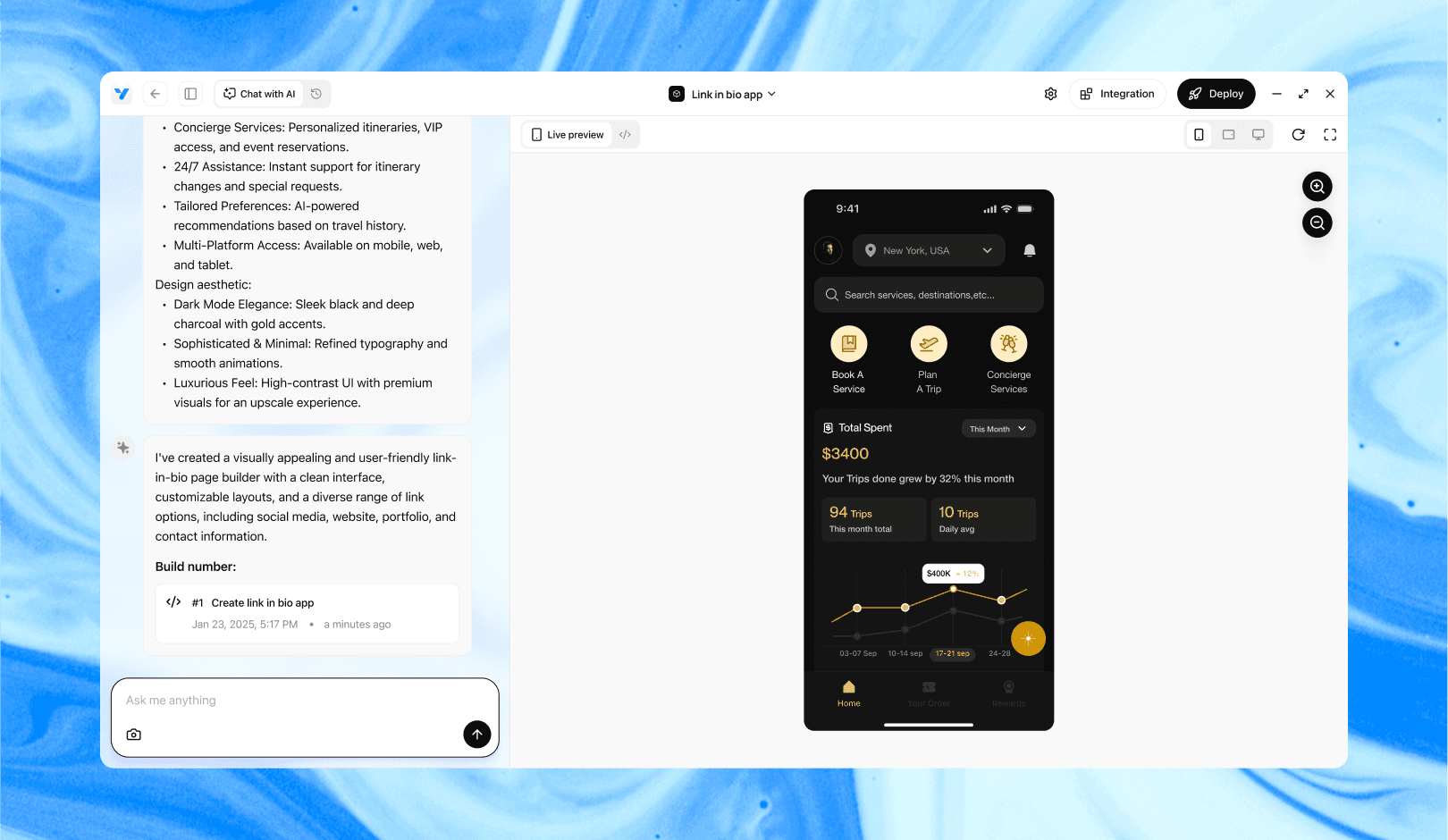
Vibe Studio, powered by Steve’s advanced AI agents, is a revolutionary no-code, conversational platform that empowers users to quickly and efficiently create full-stack Flutter applications integrated seamlessly with Firebase backend services. Ideal for solo founders, startups, and agile engineering teams, Vibe Studio allows users to visually manage and deploy Flutter apps, greatly accelerating the development process. The intuitive conversational interface simplifies complex development tasks, making app creation accessible even for non-coders.
Conclusion
Refactoring Vibe Studio output into reusable widgets turns a brittle, generated codebase into a maintainable Flutter mobile development project. Identify repetition, extract clear stateless/stateful widgets, centralize styling, and optimize for performance. Incremental refactors, tests, and a tokenized design system keep the UI consistent and scalable. The investment pays off in faster iteration, easier theming, and fewer runtime surprises.