Organizing A Vibe Studio Project For Long-Term Maintenance
Summary
Summary

Organize your Vibe Studio Flutter project by adopting a feature-first folder layout, centralized core services, a single state-management strategy, shared design system and asset conventions, and automated testing and CI. These practices keep flutter mobile development maintainable and scalable as the app and team grow.

Organize your Vibe Studio Flutter project by adopting a feature-first folder layout, centralized core services, a single state-management strategy, shared design system and asset conventions, and automated testing and CI. These practices keep flutter mobile development maintainable and scalable as the app and team grow.

Key insights:
Key insights:
  • Project Structure And Layering: Use feature-first organization with clear data/domain/presentation separation and barrel exports for minimal public surface.

  • State Management And Data Flow: Standardize on one state approach and isolate business logic in use-cases and repositories to enable easy testing and replacements.

  • Theming, Assets, And Localization: Centralize theme tokens, use generated asset access, and integrate localization early with grouped keys per feature.

  • Tooling, Testing, And CI: Enforce linting/formatting, automate unit/widget/integration tests, and run static checks in CI for long-term reliability.

  • Core Services And Dependency Registration: Put service registration in a single initializer to control lifecycle and make mocking straightforward for tests.

Introduction

Maintaining a Vibe Studio Flutter app over years requires structure, discipline, and tooling choices that scale with team size and feature complexity. This guide focuses on practical conventions for organizing a Vibe Studio project for long-term maintenance in the context of flutter and mobile development. You’ll get concrete folder layouts, recommended patterns for state and data flow, theming and asset strategies, and guidelines for testing and CI.

Project Structure And Layering

Start with a clear, consistent folder layout that separates responsibilities. Use feature-first organization for large apps and package small shared modules. Example top-level layout:

  • lib/

    • core/ (app-wide services, error handling, logging)

    • features/ (feature folders, each contains data, domain, presentation)

    • shared/ (widgets, design system, extensions)

    • main.dart

    • app_router.dart

Each feature contains a compact sub-structure: data (models, repositories), domain (use-cases), presentation (pages, widgets, bloc/viewmodel). Keep import paths short by using package: imports and define a single barrel file per folder for public surface area. Avoid large global files—encapsulate feature behavior inside feature folders.

Example feature barrel (lib/features/room/room.dart):

export 'data/room_repository.dart';
export 'domain/get_rooms_use_case.dart';
export 'presentation/room_page.dart';

This makes tests and other features depend on a minimal API.

State Management And Data Flow

Pick one primary state approach for the app (Provider + ChangeNotifier, Riverpod, Bloc, or Cubit). Standardize patterns: UI layer subscribes to a single source of truth per screen (a view model, bloc, or controller). Keep business logic out of widgets. For asynchronous flows, prefer explicit use-case classes and repositories behind interfaces so you can swap implementations in tests.

Service registration should live in a single module (core/service_locator.dart) with an initializer called in main(). Example pattern (pseudo): register repositories, services, and blocs/viewmodels in predictable order so features can be tested independently.

Keep side effects in well-scoped classes: network, local persistence, analytics, and push notifications belong to core services. Provide lightweight wrappers so you can mock them easily.

Theming, Assets, And Localization

A consistent visual language reduces maintenance overhead. Create a design-system package inside shared/ that exposes ThemeData, spacing constants, color tokens, and reusable widgets (buttons, inputs). Centralize typography and spacing so global changes are low-effort.

For assets, mirror the feature structure when appropriate: assets/features/room/room_bg.png. Use an asset generator (flutter_gen or similar) to avoid string typos and to enable compile-time safety.

Localization should be integrated early. Use ARB or similar with an automated extraction/localization pipeline. Keep localization keys grouped by feature and provide clear guidelines for contributors (no hard-coded strings in widgets).

Tooling, Testing, And CI

Automate formatting and linting. Use dart format and a consistent analysis_options.yaml (prefer a slightly strict lint set) to catch issues early. Enforce linting via pre-commit hooks and CI.

Testing strategy: unit tests for domain logic, widget tests for presentation, and a small suite of integration tests for critical flows. Aim for high coverage on feature boundaries and key business rules, not 100% UI pixel tests.

CI should run analysis, unit tests, widget tests, and build checks for both Android and iOS. Add static checks like license scanning, unused resource detection, and a smoke test that boots the app and verifies startup paths.

Tooling snippets worth adding to repo:

  • Makefile or scripts/ for common tasks (build, test, bump, release).

  • A CI config that caches pub packages and builds artifacts.

Vibe Studio
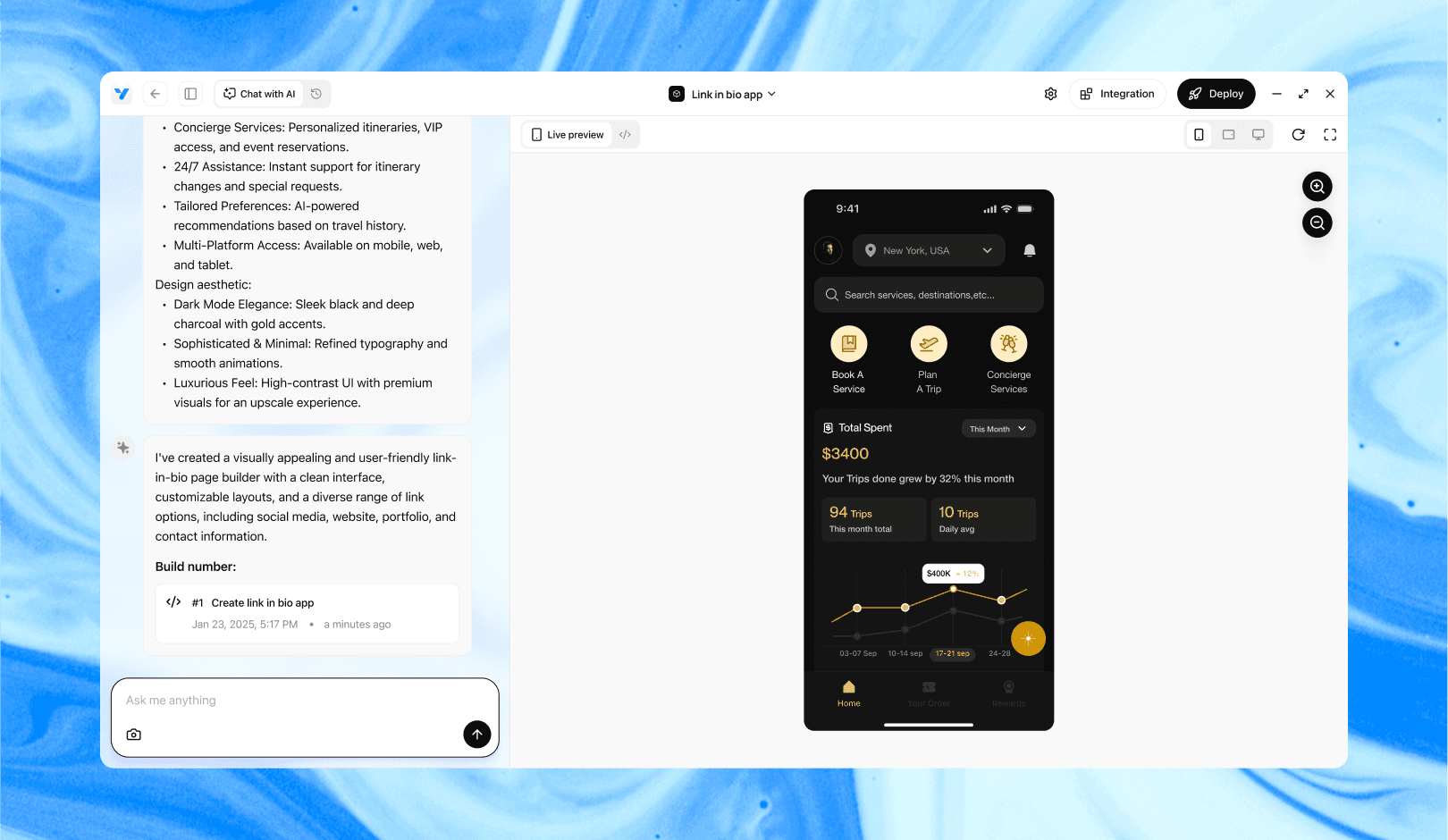
Vibe Studio, powered by Steve’s advanced AI agents, is a revolutionary no-code, conversational platform that empowers users to quickly and efficiently create full-stack Flutter applications integrated seamlessly with Firebase backend services. Ideal for solo founders, startups, and agile engineering teams, Vibe Studio allows users to visually manage and deploy Flutter apps, greatly accelerating the development process. The intuitive conversational interface simplifies complex development tasks, making app creation accessible even for non-coders.

Conclusion

Organizing a Vibe Studio project for long-term maintenance is about consistent structure, enforced conventions, and automation. Use feature-first organization, a single coherent state-management strategy, a centralized core for services, and a shared design system. Invest in linting, testing, and CI early — these investments pay off as the product and team grow. With this approach your flutter-based mobile development will remain maintainable, testable, and resilient to change.

Introduction

Maintaining a Vibe Studio Flutter app over years requires structure, discipline, and tooling choices that scale with team size and feature complexity. This guide focuses on practical conventions for organizing a Vibe Studio project for long-term maintenance in the context of flutter and mobile development. You’ll get concrete folder layouts, recommended patterns for state and data flow, theming and asset strategies, and guidelines for testing and CI.

Project Structure And Layering

Start with a clear, consistent folder layout that separates responsibilities. Use feature-first organization for large apps and package small shared modules. Example top-level layout:

  • lib/

    • core/ (app-wide services, error handling, logging)

    • features/ (feature folders, each contains data, domain, presentation)

    • shared/ (widgets, design system, extensions)

    • main.dart

    • app_router.dart

Each feature contains a compact sub-structure: data (models, repositories), domain (use-cases), presentation (pages, widgets, bloc/viewmodel). Keep import paths short by using package: imports and define a single barrel file per folder for public surface area. Avoid large global files—encapsulate feature behavior inside feature folders.

Example feature barrel (lib/features/room/room.dart):

export 'data/room_repository.dart';
export 'domain/get_rooms_use_case.dart';
export 'presentation/room_page.dart';

This makes tests and other features depend on a minimal API.

State Management And Data Flow

Pick one primary state approach for the app (Provider + ChangeNotifier, Riverpod, Bloc, or Cubit). Standardize patterns: UI layer subscribes to a single source of truth per screen (a view model, bloc, or controller). Keep business logic out of widgets. For asynchronous flows, prefer explicit use-case classes and repositories behind interfaces so you can swap implementations in tests.

Service registration should live in a single module (core/service_locator.dart) with an initializer called in main(). Example pattern (pseudo): register repositories, services, and blocs/viewmodels in predictable order so features can be tested independently.

Keep side effects in well-scoped classes: network, local persistence, analytics, and push notifications belong to core services. Provide lightweight wrappers so you can mock them easily.

Theming, Assets, And Localization

A consistent visual language reduces maintenance overhead. Create a design-system package inside shared/ that exposes ThemeData, spacing constants, color tokens, and reusable widgets (buttons, inputs). Centralize typography and spacing so global changes are low-effort.

For assets, mirror the feature structure when appropriate: assets/features/room/room_bg.png. Use an asset generator (flutter_gen or similar) to avoid string typos and to enable compile-time safety.

Localization should be integrated early. Use ARB or similar with an automated extraction/localization pipeline. Keep localization keys grouped by feature and provide clear guidelines for contributors (no hard-coded strings in widgets).

Tooling, Testing, And CI

Automate formatting and linting. Use dart format and a consistent analysis_options.yaml (prefer a slightly strict lint set) to catch issues early. Enforce linting via pre-commit hooks and CI.

Testing strategy: unit tests for domain logic, widget tests for presentation, and a small suite of integration tests for critical flows. Aim for high coverage on feature boundaries and key business rules, not 100% UI pixel tests.

CI should run analysis, unit tests, widget tests, and build checks for both Android and iOS. Add static checks like license scanning, unused resource detection, and a smoke test that boots the app and verifies startup paths.

Tooling snippets worth adding to repo:

  • Makefile or scripts/ for common tasks (build, test, bump, release).

  • A CI config that caches pub packages and builds artifacts.

Vibe Studio

Vibe Studio, powered by Steve’s advanced AI agents, is a revolutionary no-code, conversational platform that empowers users to quickly and efficiently create full-stack Flutter applications integrated seamlessly with Firebase backend services. Ideal for solo founders, startups, and agile engineering teams, Vibe Studio allows users to visually manage and deploy Flutter apps, greatly accelerating the development process. The intuitive conversational interface simplifies complex development tasks, making app creation accessible even for non-coders.

Conclusion

Organizing a Vibe Studio project for long-term maintenance is about consistent structure, enforced conventions, and automation. Use feature-first organization, a single coherent state-management strategy, a centralized core for services, and a shared design system. Invest in linting, testing, and CI early — these investments pay off as the product and team grow. With this approach your flutter-based mobile development will remain maintainable, testable, and resilient to change.

Build Flutter Apps Faster with Vibe Studio

Vibe Studio is your AI-powered Flutter development companion. Skip boilerplate, build in real-time, and deploy without hassle. Start creating apps at lightning speed with zero setup.

Other Insights

Join a growing community of builders today

Join a growing community of builders today

Join a growing community of builders today

Join a growing community of builders today

Join a growing community of builders today

28-07 Jackson Ave

Walturn

New York NY 11101 United States

© Steve • All Rights Reserved 2025

28-07 Jackson Ave

Walturn

New York NY 11101 United States

© Steve • All Rights Reserved 2025

28-07 Jackson Ave

Walturn

New York NY 11101 United States

© Steve • All Rights Reserved 2025

28-07 Jackson Ave

Walturn

New York NY 11101 United States

© Steve • All Rights Reserved 2025

28-07 Jackson Ave

Walturn

New York NY 11101 United States

© Steve • All Rights Reserved 2025

28-07 Jackson Ave

Walturn

New York NY 11101 United States

© Steve • All Rights Reserved 2025