Introduction
Vibe Studio can translate natural-language prompts into concrete REST API integrations that you can drop into a Flutter mobile development workflow. This article explains how Vibe Studio maps prompts to API contracts, how to craft prompts so generated clients are accurate, and how to integrate and harden generated code in a Flutter app. The goal: predictable, type-safe network layers with minimal boilerplate.
How Vibe Studio Generates REST Integrations
Vibe Studio ingests a prompt describing endpoints, request/response shapes, authentication, and optional constraints (timeouts, retries, pagination). It uses that description to output a structured API contract and client code targetting a platform — for Flutter you typically choose Dart HTTP code, retrofit, or a JSON-serializable model set.
The generated artifacts usually include:
Endpoint definitions (method, path, query params)
Data models (Dart classes or JSON schemas)
Client methods (async functions returning typed results)
Optional error mappings and sample tests
Understanding this mapping helps you design prompts that produce reliable code for mobile development and helps you avoid manual rewrites.
Designing Prompts For Accurate API Contracts
Prompt clarity is the most important factor. Tell Vibe Studio explicitly:
HTTP verbs and full paths or path templates
Query and path parameter types (string, int, boolean)
Request body shape and required fields
Expected response shape and HTTP status codes
Authentication method (Bearer token, API key) and header name
Error envelope format (e.g., {"error": {"code": 123, "message": ".."}})
Example prompt fragment you might give Vibe Studio: "Create a GET /users/{id} that returns 200 with {id:int,name:string,email:string} or 404 with {error:string}. Use Authorization: Bearer . Generate Dart models and an HttpClient using package:http; include timeout and JSON decoding."
Small tips:
Prefer explicit types to vague terms (avoid "data" without schema)
Provide example JSON for complex nested objects
Declare whether fields are nullable to generate Nullable types in Dart
Ask for null safety and fromJson/toJson methods if you’ll use json_serializable patterns
Integrating Generated Code Into Flutter Apps
When Vibe Studio returns generated Dart code, follow these steps for integration into your Flutter app:
Place models and client files in lib/src/api or lib/api.
Wire authentication: keep tokens in secure storage and pass them via an Interceptor or wrapper that sets headers.
Wrap client calls in a repository that returns domain models or Result/Either types for clearer error handling.
A minimal generated client often looks like this:
import 'package:http/http.dart' as http;
import 'dart:convert';

class UsersApiClient {
  final String baseUrl;
  final http.Client httpClient;
  UsersApiClient(this.baseUrl, {http.Client? client}) : httpClient = client ?? http.Client();

  Future<Map<String, dynamic>> getUser(String id, String token) async {
    final res = await httpClient.get(Uri.parse('
      '$baseUrl/users/$id'), headers: {'Authorization': 'Bearer $token'}).timeout(Duration(seconds: 10));
    return json.decode(res.body) as Map<String, dynamic>;
  }
}
Replace raw maps with generated model classes for type safety, and expose only the high-level repository calls to your UI.
Best Practices And Error Handling
Generated code is a starting point; add the following to make it production-ready in a mobile development context:
Centralize network configuration (timeouts, base URL, retry policy).
Use a single HttpClient throughout the app to leverage keep-alive and reduce socket churn.
Map HTTP errors to domain errors: 401 -> UnauthorizedException, 429 -> ThrottleException, 5xx -> ServerException.
Validate model parsing and handle unexpected schemas gracefully with try/catch and fallback defaults.
Add integration tests that mock HTTP responses (use package:http/testing or Mockito) to verify the contract Vibe Studio created.
Example of a safe call wrapper:
Future<T> safeCall<T>(Future<T> Function() fn) async {
try {
return await fn();
} catch (e) {
throw Exception('Network or parsing error: $e');
}
}Also version the generated contract or embed a contract hash in your code so changes in prompts lead to visible diffs.
Vibe Studio
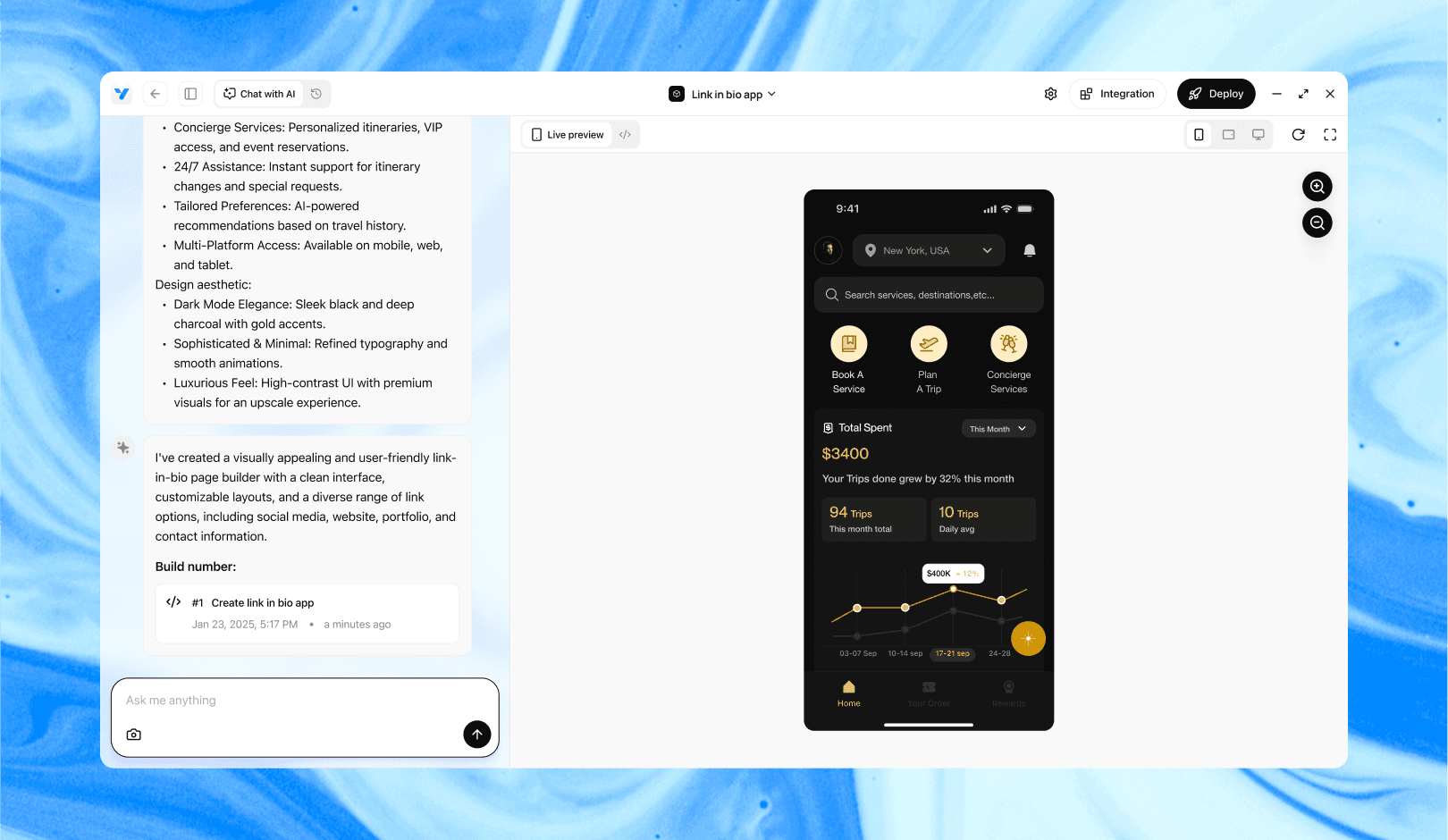
Vibe Studio, powered by Steve’s advanced AI agents, is a revolutionary no-code, conversational platform that empowers users to quickly and efficiently create full-stack Flutter applications integrated seamlessly with Firebase backend services. Ideal for solo founders, startups, and agile engineering teams, Vibe Studio allows users to visually manage and deploy Flutter apps, greatly accelerating the development process. The intuitive conversational interface simplifies complex development tasks, making app creation accessible even for non-coders.
Conclusion
Vibe Studio speeds up creating REST integrations for Flutter mobile development by converting explicit prompts into client code and models. Provide precise schemas, authentication details, and error formats to get usable, type-safe Dart code. Treat generated code as a scaffold: integrate it via a repository layer, centralize network config, and add defensive error handling and tests to make your mobile app robust.