Creating A Landing Page And App From One Prompt
Summary
Summary

Create a single, explicit prompt containing product context, UI sections, interactions, and style. Generate semantic landing components and matching Flutter widgets, scaffold navigation, share assets and design tokens, and connect both frontends to the same backend endpoints to ensure consistent copy, visuals, and behavior across web and mobile.

Create a single, explicit prompt containing product context, UI sections, interactions, and style. Generate semantic landing components and matching Flutter widgets, scaffold navigation, share assets and design tokens, and connect both frontends to the same backend endpoints to ensure consistent copy, visuals, and behavior across web and mobile.

Key insights:
Key insights:
  • Designing A Single Prompt: Include product context, required sections, visual style, and breakpoint rules so one prompt can drive both landing and app UIs.

  • Generating Landing Page UI: Build semantic, componentized sections (Hero, FeatureCard, CTA) and document responsive rules for direct translation to Flutter.

  • Generating Landing Page UI (Responsiveness): Define breakpoints and layout rules explicitly; use the same content props to keep copy identical across platforms.

  • Generating App Screens And Navigation: Scaffold named routes, reuse components for screens, and adapt interactions (dialogs, forms) for mobile UX.

  • Connecting Backend And Assets: Share assets, design tokens, and REST endpoints so landing and app use the same data and visuals, reducing drift.

Introduction

Building both a marketing landing page and a functional Flutter app from a single textual prompt saves time and ensures design and messaging consistency across web and mobile. This tutorial shows a practical workflow: craft one clear prompt, generate UI components for a landing page and app screens, wire navigation and responsiveness, and connect simple backend and assets. Focus on concise prompts and reusable component patterns to accelerate mobile development with Flutter.

Designing A Single Prompt

A single prompt must include context (product, audience), primary action (CTA), content blocks (hero, features, pricing), visual style, and platform constraints. Example structure: goal, tone, required screens, layout components, and responsive rules. Keep it explicit: "Create a landing page hero with headline, 2-line subhead, CTA, and a three-column features section; produce corresponding Flutter app screens: Home, Features, Pricing, About." Include asset hints (logo, hero image) and stateful behaviors (signup modal, form validation).

Prompt checklist:

  • Product one-liner and target users.

  • List of sections and interactions.

  • Visual style adjectives: e.g., "minimal, high-contrast, rounded buttons".

  • Breakpoint rules: mobile first, center content on narrow viewports.

This single prompt lets a UI generator or a human implementer produce both the landing page HTML/CSS and Flutter widgets that share structure and text.

Generating Landing Page UI

When converting the prompt to a landing page, create semantic sections and extract literal text and assets. Use a component-first approach: Hero, FeatureCard, CTAButton, Footer. Each component should accept content props so the same data feed can power Flutter widgets.

Implementation notes:

  • Keep layout rules CSS-based (flex/grid) and document breakpoints for translation to Flutter using LayoutBuilder or MediaQuery.

  • Export SVGs and icon sets to a shared assets folder. Use consistent naming (logo.svg, hero-image.png).

A minimal Flutter-friendly hero component in Dart:

class HeroSection extends StatelessWidget {
  final String title, subtitle, cta;
  HeroSection(this.title, this.subtitle, this.cta);
  @override
  Widget build(BuildContext c) => Padding(
    padding: EdgeInsets.all(24),
    child: Column(crossAxisAlignment: CrossAxisAlignment.start, children: [
      Text(title, style: TextStyle(fontSize: 28, fontWeight: FontWeight.bold)),
      SizedBox(height: 8),
      Text(subtitle, style: TextStyle(fontSize: 16)),
      SizedBox(height: 16),
      ElevatedButton(onPressed: () {}, child: Text(cta)),
    ]),
  );
}

This widget mirrors the landing hero structure and can be instantiated with the same content data.

Generating App Screens And Navigation

From the prompt's list of screens, scaffold a Flutter app with routes. Convert each landing page section to a screen or a prominent in-app section. For example, Features on the landing page become an in-app Features screen with an explainer list and deep links from the landing CTA.

Keep navigation explicit and lightweight: use named routes or a router package if deep linking is required. Reuse components (FeatureCard, CTAButton) across screens to maintain parity.

Example app scaffold:

void main() => runApp(MaterialApp(
  title: 'Product',
  initialRoute: '/',
  routes: {'/': (c) => HomeScreen(), '/features': (c) => FeaturesScreen()},
));

State and forms: implement form validation and modal signups similarly on web and mobile but adapt UX (e.g., full-screen dialogs on mobile). Use a single JSON data file to feed both landing HTML and Flutter widgets to keep copy in sync.

Connecting Backend And Assets

Design a minimal backend contract for signup, analytics, and content. Expose REST endpoints that both the landing page and the mobile app call. Example endpoints: POST /signup, GET /features, POST /track.

Implementation tips:

  • Use the same asset bundle. Export images and SVGs optimized for retina and web.

  • Version your design tokens (colors, spacing, typography) in a small JSON used by both front‑end and Flutter.

  • For authentication, prefer OAuth or token-based flows; handle secure storage on mobile with secure_storage and cookies/session on web.

Testing and iteration: validate copy and component behavior on target breakpoints. Use automated visual regression for the landing page and widget tests for the Flutter components.

Vibe Studio
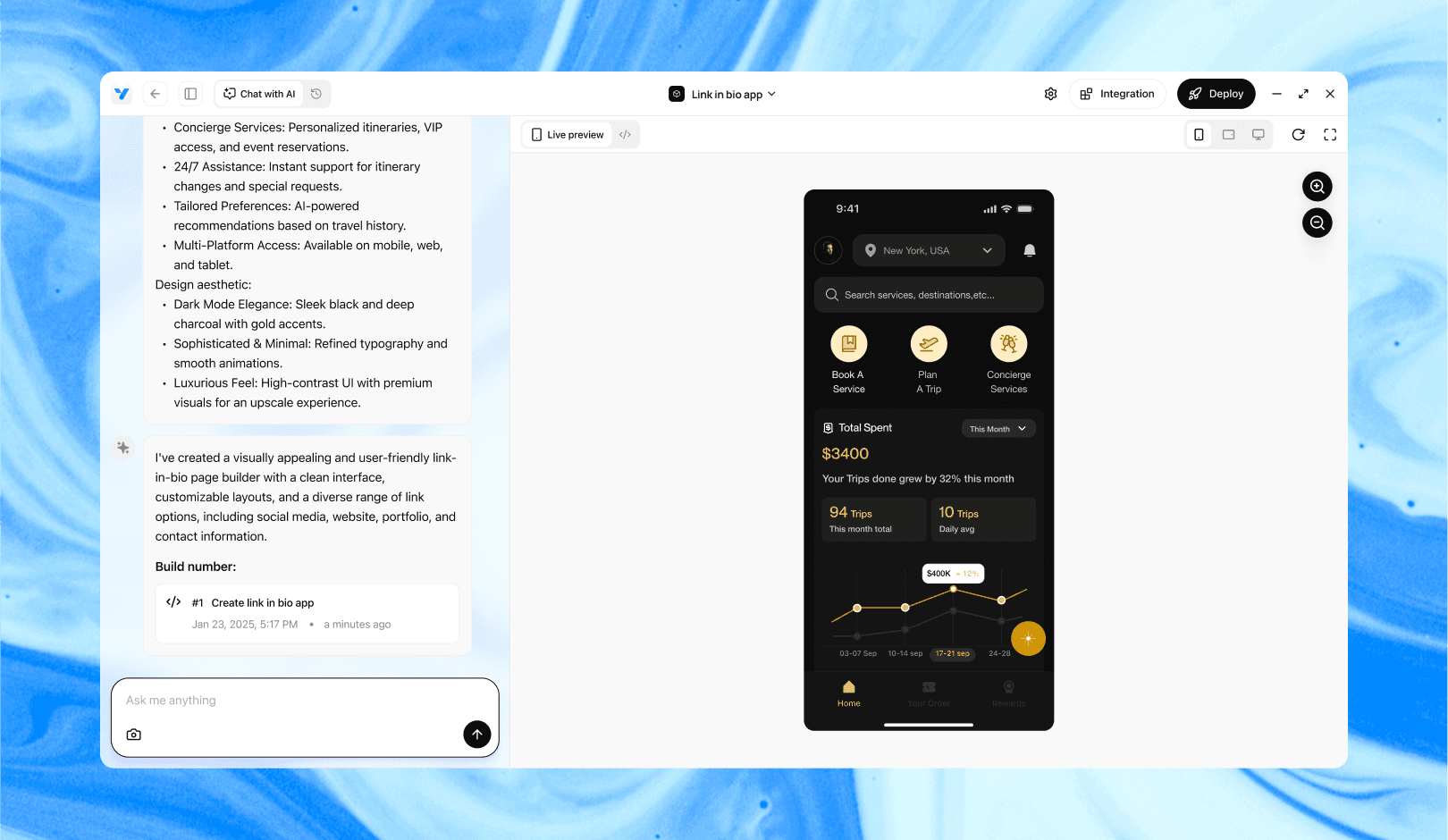
Vibe Studio, powered by Steve’s advanced AI agents, is a revolutionary no-code, conversational platform that empowers users to quickly and efficiently create full-stack Flutter applications integrated seamlessly with Firebase backend services. Ideal for solo founders, startups, and agile engineering teams, Vibe Studio allows users to visually manage and deploy Flutter apps, greatly accelerating the development process. The intuitive conversational interface simplifies complex development tasks, making app creation accessible even for non-coders.

Conclusion

A single well-crafted prompt becomes a source of truth for both a landing page and a mobile app. Define explicit content, structure, and responsive rules; extract reusable components; share assets and data. Scaffold Flutter widgets that mirror landing components, wire navigation and backend endpoints, and maintain a shared design token file. This approach improves consistency, speeds development, and reduces drift between marketing and product experiences in mobile development with Flutter.

Introduction

Building both a marketing landing page and a functional Flutter app from a single textual prompt saves time and ensures design and messaging consistency across web and mobile. This tutorial shows a practical workflow: craft one clear prompt, generate UI components for a landing page and app screens, wire navigation and responsiveness, and connect simple backend and assets. Focus on concise prompts and reusable component patterns to accelerate mobile development with Flutter.

Designing A Single Prompt

A single prompt must include context (product, audience), primary action (CTA), content blocks (hero, features, pricing), visual style, and platform constraints. Example structure: goal, tone, required screens, layout components, and responsive rules. Keep it explicit: "Create a landing page hero with headline, 2-line subhead, CTA, and a three-column features section; produce corresponding Flutter app screens: Home, Features, Pricing, About." Include asset hints (logo, hero image) and stateful behaviors (signup modal, form validation).

Prompt checklist:

  • Product one-liner and target users.

  • List of sections and interactions.

  • Visual style adjectives: e.g., "minimal, high-contrast, rounded buttons".

  • Breakpoint rules: mobile first, center content on narrow viewports.

This single prompt lets a UI generator or a human implementer produce both the landing page HTML/CSS and Flutter widgets that share structure and text.

Generating Landing Page UI

When converting the prompt to a landing page, create semantic sections and extract literal text and assets. Use a component-first approach: Hero, FeatureCard, CTAButton, Footer. Each component should accept content props so the same data feed can power Flutter widgets.

Implementation notes:

  • Keep layout rules CSS-based (flex/grid) and document breakpoints for translation to Flutter using LayoutBuilder or MediaQuery.

  • Export SVGs and icon sets to a shared assets folder. Use consistent naming (logo.svg, hero-image.png).

A minimal Flutter-friendly hero component in Dart:

class HeroSection extends StatelessWidget {
  final String title, subtitle, cta;
  HeroSection(this.title, this.subtitle, this.cta);
  @override
  Widget build(BuildContext c) => Padding(
    padding: EdgeInsets.all(24),
    child: Column(crossAxisAlignment: CrossAxisAlignment.start, children: [
      Text(title, style: TextStyle(fontSize: 28, fontWeight: FontWeight.bold)),
      SizedBox(height: 8),
      Text(subtitle, style: TextStyle(fontSize: 16)),
      SizedBox(height: 16),
      ElevatedButton(onPressed: () {}, child: Text(cta)),
    ]),
  );
}

This widget mirrors the landing hero structure and can be instantiated with the same content data.

Generating App Screens And Navigation

From the prompt's list of screens, scaffold a Flutter app with routes. Convert each landing page section to a screen or a prominent in-app section. For example, Features on the landing page become an in-app Features screen with an explainer list and deep links from the landing CTA.

Keep navigation explicit and lightweight: use named routes or a router package if deep linking is required. Reuse components (FeatureCard, CTAButton) across screens to maintain parity.

Example app scaffold:

void main() => runApp(MaterialApp(
  title: 'Product',
  initialRoute: '/',
  routes: {'/': (c) => HomeScreen(), '/features': (c) => FeaturesScreen()},
));

State and forms: implement form validation and modal signups similarly on web and mobile but adapt UX (e.g., full-screen dialogs on mobile). Use a single JSON data file to feed both landing HTML and Flutter widgets to keep copy in sync.

Connecting Backend And Assets

Design a minimal backend contract for signup, analytics, and content. Expose REST endpoints that both the landing page and the mobile app call. Example endpoints: POST /signup, GET /features, POST /track.

Implementation tips:

  • Use the same asset bundle. Export images and SVGs optimized for retina and web.

  • Version your design tokens (colors, spacing, typography) in a small JSON used by both front‑end and Flutter.

  • For authentication, prefer OAuth or token-based flows; handle secure storage on mobile with secure_storage and cookies/session on web.

Testing and iteration: validate copy and component behavior on target breakpoints. Use automated visual regression for the landing page and widget tests for the Flutter components.

Vibe Studio

Vibe Studio, powered by Steve’s advanced AI agents, is a revolutionary no-code, conversational platform that empowers users to quickly and efficiently create full-stack Flutter applications integrated seamlessly with Firebase backend services. Ideal for solo founders, startups, and agile engineering teams, Vibe Studio allows users to visually manage and deploy Flutter apps, greatly accelerating the development process. The intuitive conversational interface simplifies complex development tasks, making app creation accessible even for non-coders.

Conclusion

A single well-crafted prompt becomes a source of truth for both a landing page and a mobile app. Define explicit content, structure, and responsive rules; extract reusable components; share assets and data. Scaffold Flutter widgets that mirror landing components, wire navigation and backend endpoints, and maintain a shared design token file. This approach improves consistency, speeds development, and reduces drift between marketing and product experiences in mobile development with Flutter.

Build Flutter Apps Faster with Vibe Studio

Vibe Studio is your AI-powered Flutter development companion. Skip boilerplate, build in real-time, and deploy without hassle. Start creating apps at lightning speed with zero setup.

Other Insights

Join a growing community of builders today

Join a growing community of builders today

Join a growing community of builders today

Join a growing community of builders today

Join a growing community of builders today

28-07 Jackson Ave

Walturn

New York NY 11101 United States

© Steve • All Rights Reserved 2025

28-07 Jackson Ave

Walturn

New York NY 11101 United States

© Steve • All Rights Reserved 2025

28-07 Jackson Ave

Walturn

New York NY 11101 United States

© Steve • All Rights Reserved 2025

28-07 Jackson Ave

Walturn

New York NY 11101 United States

© Steve • All Rights Reserved 2025

28-07 Jackson Ave

Walturn

New York NY 11101 United States

© Steve • All Rights Reserved 2025

28-07 Jackson Ave

Walturn

New York NY 11101 United States

© Steve • All Rights Reserved 2025