Building A Vibe Studio App With A Supabase Backend
Summary
Summary

Build a Vibe Studio mobile app with Flutter and Supabase by initializing the client, enabling Auth/Storage/Realtime, uploading audio to Supabase Storage, inserting metadata into a vibes table, and subscribing to realtime INSERT events. Use RLS for security and signed URLs for private audio playback.

Build a Vibe Studio mobile app with Flutter and Supabase by initializing the client, enabling Auth/Storage/Realtime, uploading audio to Supabase Storage, inserting metadata into a vibes table, and subscribing to realtime INSERT events. Use RLS for security and signed URLs for private audio playback.

Key insights:
Key insights:
  • Project Setup And Supabase Configuration: Create a vibes table, enable Storage and Realtime, and configure RLS for secure access.

  • Flutter Integration And Authentication: Initialize supabase_flutter in main.dart and use Supabase auth for persistent, secure sessions on mobile.

  • Uploading Audio And Database Writes: Upload audio to Storage, then insert a metadata row in Postgres; use signed URLs for private buckets.

  • Realtime Feed And State Management: Subscribe to INSERT events for live feeds and merge updates into your Flutter state or StreamBuilder UI.

  • Security, Performance, And Mobile Considerations: Enforce RLS, compress media, handle offline uploads, and manage subscriptions to reduce bandwidth.

Introduction

This tutorial shows how to build a Vibe Studio app using Flutter and Supabase. The app allows users to sign in, upload short audio clips (vibes), store them in Supabase Storage, and stream a realtime feed of uploads. It focuses on practical code patterns for mobile development with Flutter: initializing Supabase, handling authentication, uploading media, and subscribing to realtime updates.

Project Setup And Supabase Configuration

Create a Supabase project and enable the following services: Auth, Database (Postgres), Storage, and Realtime. In the SQL editor create a simple table for vibes:

  • Table: vibes

  • Columns: id (uuid, primary), user_id (uuid, references auth.users), title (text), description (text), audio_path (text), created_at (timestamp with time zone, default now())

Set up RLS (Row Level Security) policies granting authenticated users permission to insert/select their records or public reads depending on your app design. Create a storage bucket for audio files (public or private with signed URLs).

Collect the Supabase URL and anon/public key from project settings—these will be used in your Flutter app.

Flutter Integration And Authentication

Add supabase_flutter to pubspec.yaml and initialize it in main.dart. Use the Supabase client to manage authentication and session persistence. For mobile development, prefer platform-safe secure storage (supabase_flutter handles session storage by default).

Simple initialization and sign-in example:

// main.dart (excerpt)
await Supabase.initialize(
  url: 'https://your-project.supabase.co',
  anonKey: 'public-anon-key',
);
runApp(MyApp());

Authentication can be email/password or OAuth. After sign-in, store the current user with Supabase.instance.client.auth.currentUser and include user_id when inserting vibe records.

Uploading Audio And Database Writes

When a user records or selects audio, upload it to the Supabase Storage bucket and then insert a record in the vibes table with the storage path. Keep uploads atomic: upload first, then insert; if the insert fails, consider deleting the uploaded file to avoid orphaned files.

Example upload + insert routine:

final client = Supabase.instance.client;
final fileBytes = await pickedFile.readAsBytes();
final path = 'vibes/${Uuid().v4()}.m4a';
await client.storage.from('audio').uploadBinary(path, fileBytes);
await client.from('vibes').insert({
  'user_id': user.id,
  'title': title,
  'description': desc,
  'audio_path': path,
});

If your bucket is private, use client.storage.from('audio').createSignedUrl(path, expiry) to produce a playable URL for the frontend.

Realtime Feed And State Management

Use Supabase Realtime to push new vibes to connected clients. Subscribe to the vibes table for INSERT events and merge incoming rows into your local state or stream. On mobile, implement a lightweight state layer (ChangeNotifier, Riverpod, or Bloc). For simple feeds, StreamBuilder can render a continuous list.

Example subscription pattern:

  • Subscribe: final sub = client.from('vibes').on(SupabaseEventTypes.insert, (payload) => onNewVibe(payload)).subscribe();

  • Unsubscribe on dispose to avoid leaks.

Design your UI lists to optimistically show newly uploaded vibes (insert into local list) and reconcile with the server list for consistency. For playback, use a lightweight player like just_audio and feed it either a public URL or a signed URL fetched on demand.

Security, Performance, And Mobile Considerations

  • RLS: enforce row-level security so users only modify permitted records. Test policies with Supabase SQL role impersonation.

  • Storage: use appropriate cache-control and CDNs where available. For mobile networks, compress audio and limit recording length.

  • Offline: handle failed uploads by queueing and retrying; show upload progress and status.

  • Realtime scaling: avoid unnecessary subscriptions; paginate the initial query and subscribe to a narrow channel or filter model where possible.

Vibe Studio
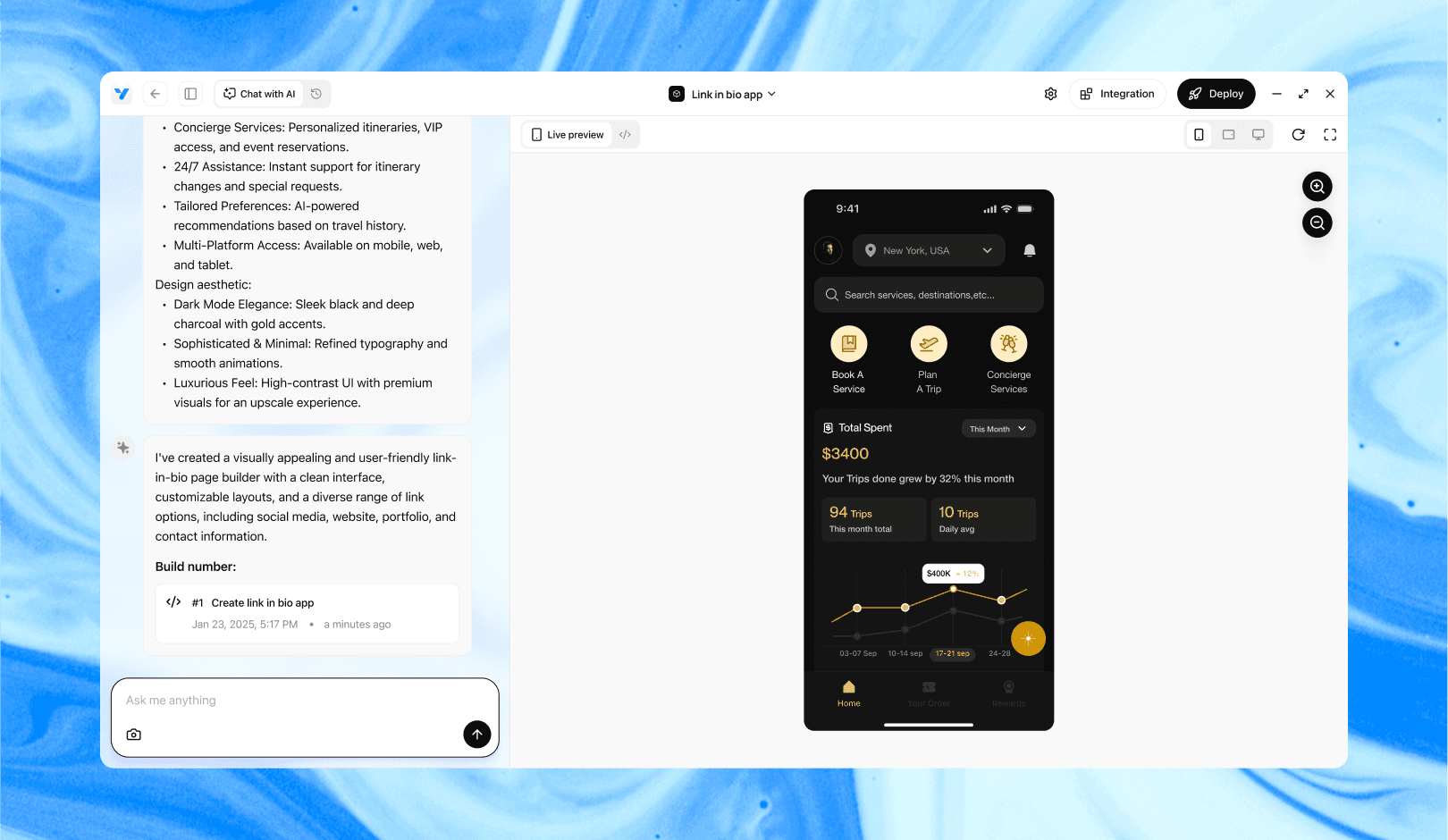
Vibe Studio, powered by Steve’s advanced AI agents, is a revolutionary no-code, conversational platform that empowers users to quickly and efficiently create full-stack Flutter applications integrated seamlessly with Firebase backend services. Ideal for solo founders, startups, and agile engineering teams, Vibe Studio allows users to visually manage and deploy Flutter apps, greatly accelerating the development process. The intuitive conversational interface simplifies complex development tasks, making app creation accessible even for non-coders.

Conclusion

Building a Vibe Studio app with Flutter and Supabase is straightforward when you separate concerns: Supabase for auth, storage, and realtime; Flutter for responsive mobile UI and audio playback. Key patterns are initializing Supabase once, handling secure uploads to Storage, inserting metadata in Postgres, subscribing to realtime events, and managing session-aware RLS. This architecture supports rapid mobile development while keeping server-side logic minimal and maintainable.

Introduction

This tutorial shows how to build a Vibe Studio app using Flutter and Supabase. The app allows users to sign in, upload short audio clips (vibes), store them in Supabase Storage, and stream a realtime feed of uploads. It focuses on practical code patterns for mobile development with Flutter: initializing Supabase, handling authentication, uploading media, and subscribing to realtime updates.

Project Setup And Supabase Configuration

Create a Supabase project and enable the following services: Auth, Database (Postgres), Storage, and Realtime. In the SQL editor create a simple table for vibes:

  • Table: vibes

  • Columns: id (uuid, primary), user_id (uuid, references auth.users), title (text), description (text), audio_path (text), created_at (timestamp with time zone, default now())

Set up RLS (Row Level Security) policies granting authenticated users permission to insert/select their records or public reads depending on your app design. Create a storage bucket for audio files (public or private with signed URLs).

Collect the Supabase URL and anon/public key from project settings—these will be used in your Flutter app.

Flutter Integration And Authentication

Add supabase_flutter to pubspec.yaml and initialize it in main.dart. Use the Supabase client to manage authentication and session persistence. For mobile development, prefer platform-safe secure storage (supabase_flutter handles session storage by default).

Simple initialization and sign-in example:

// main.dart (excerpt)
await Supabase.initialize(
  url: 'https://your-project.supabase.co',
  anonKey: 'public-anon-key',
);
runApp(MyApp());

Authentication can be email/password or OAuth. After sign-in, store the current user with Supabase.instance.client.auth.currentUser and include user_id when inserting vibe records.

Uploading Audio And Database Writes

When a user records or selects audio, upload it to the Supabase Storage bucket and then insert a record in the vibes table with the storage path. Keep uploads atomic: upload first, then insert; if the insert fails, consider deleting the uploaded file to avoid orphaned files.

Example upload + insert routine:

final client = Supabase.instance.client;
final fileBytes = await pickedFile.readAsBytes();
final path = 'vibes/${Uuid().v4()}.m4a';
await client.storage.from('audio').uploadBinary(path, fileBytes);
await client.from('vibes').insert({
  'user_id': user.id,
  'title': title,
  'description': desc,
  'audio_path': path,
});

If your bucket is private, use client.storage.from('audio').createSignedUrl(path, expiry) to produce a playable URL for the frontend.

Realtime Feed And State Management

Use Supabase Realtime to push new vibes to connected clients. Subscribe to the vibes table for INSERT events and merge incoming rows into your local state or stream. On mobile, implement a lightweight state layer (ChangeNotifier, Riverpod, or Bloc). For simple feeds, StreamBuilder can render a continuous list.

Example subscription pattern:

  • Subscribe: final sub = client.from('vibes').on(SupabaseEventTypes.insert, (payload) => onNewVibe(payload)).subscribe();

  • Unsubscribe on dispose to avoid leaks.

Design your UI lists to optimistically show newly uploaded vibes (insert into local list) and reconcile with the server list for consistency. For playback, use a lightweight player like just_audio and feed it either a public URL or a signed URL fetched on demand.

Security, Performance, And Mobile Considerations

  • RLS: enforce row-level security so users only modify permitted records. Test policies with Supabase SQL role impersonation.

  • Storage: use appropriate cache-control and CDNs where available. For mobile networks, compress audio and limit recording length.

  • Offline: handle failed uploads by queueing and retrying; show upload progress and status.

  • Realtime scaling: avoid unnecessary subscriptions; paginate the initial query and subscribe to a narrow channel or filter model where possible.

Vibe Studio

Vibe Studio, powered by Steve’s advanced AI agents, is a revolutionary no-code, conversational platform that empowers users to quickly and efficiently create full-stack Flutter applications integrated seamlessly with Firebase backend services. Ideal for solo founders, startups, and agile engineering teams, Vibe Studio allows users to visually manage and deploy Flutter apps, greatly accelerating the development process. The intuitive conversational interface simplifies complex development tasks, making app creation accessible even for non-coders.

Conclusion

Building a Vibe Studio app with Flutter and Supabase is straightforward when you separate concerns: Supabase for auth, storage, and realtime; Flutter for responsive mobile UI and audio playback. Key patterns are initializing Supabase once, handling secure uploads to Storage, inserting metadata in Postgres, subscribing to realtime events, and managing session-aware RLS. This architecture supports rapid mobile development while keeping server-side logic minimal and maintainable.

Build Flutter Apps Faster with Vibe Studio

Vibe Studio is your AI-powered Flutter development companion. Skip boilerplate, build in real-time, and deploy without hassle. Start creating apps at lightning speed with zero setup.

Other Insights

Join a growing community of builders today

Join a growing community of builders today

Join a growing community of builders today

Join a growing community of builders today

Join a growing community of builders today

28-07 Jackson Ave

Walturn

New York NY 11101 United States

© Steve • All Rights Reserved 2025

28-07 Jackson Ave

Walturn

New York NY 11101 United States

© Steve • All Rights Reserved 2025

28-07 Jackson Ave

Walturn

New York NY 11101 United States

© Steve • All Rights Reserved 2025

28-07 Jackson Ave

Walturn

New York NY 11101 United States

© Steve • All Rights Reserved 2025

28-07 Jackson Ave

Walturn

New York NY 11101 United States

© Steve • All Rights Reserved 2025

28-07 Jackson Ave

Walturn

New York NY 11101 United States

© Steve • All Rights Reserved 2025