Introduction
Building a design system in Vibe Studio gives mobile teams a single source of truth for tokens, components, and interaction patterns that map cleanly to Flutter. This tutorial focuses on practical steps: define tokens, create variants and components in Vibe Studio, export artifacts, and wire them into a Flutter package. Expect concrete rules for tokens and a short widget example to anchor the approach.
Principles Of A Design System
Start with constraints that make the system usable in code: semantic tokens, limited variants, and explicit breakpoints. Semantic tokens (primary, surface, success) are easier to consume than raw color names. Prefer value sets that map to Flutter types: Color, TextStyle, BorderRadius, and Elevation. In Vibe Studio keep your tokens organized in layers: foundational (colors, spacing), semantic (text, icon size), and component-level overrides. Document intended usage and responsiveness so Flutter integrators know when to apply scale transforms versus new tokens.
Core Tokens And Themes
Export tokens from Vibe Studio as JSON or a tokenspec that you then convert to Dart. Use a small, stable token surface: color palette, spacing scale (4/8/16), typographic scale, radii, and elevation steps. Use semantic aliases for runtime switching (light/dark). Below is an example pattern for representing tokens as Dart constants—keep this file generated and committed.
class AppColors {
  static const primary = Color(0xFF0A84FF);
  static const background = Color(0xFFF7F8FA);
  static const textPrimary = Color(0xFF111111);
}

final ThemeData appTheme = ThemeData(
  colorScheme: ColorScheme.light(primary: AppColors.primary, background: AppColors.background),
);
Automate generation with a script (Node/Python) or use a plugin that reads Vibe Studio token export. Aim for stable token names; breaking changes should be versioned.
Building Reusable Components
Translate Vibe Studio components into platform widgets with clear props that reflect design choices: size, intent, and variant. Components should consume tokens, not raw values. Create lightweight wrapper widgets that read ThemeData or a custom DesignSystem class. Keep behavior (focus, disabled) and stateful interactions in Flutter, while visuals come from tokens.
Example: a primary button that uses theme tokens rather than hardcoded colors.
class PrimaryButton extends StatelessWidget {
  final String label;
  final VoidCallback onPressed;
  const PrimaryButton({required this.label, required this.onPressed});
  @override
  Widget build(BuildContext c) {
    final theme = Theme.of(c);
    return ElevatedButton(
      style: ElevatedButton.styleFrom(primary: theme.colorScheme.primary),
      onPressed: onPressed,
      child: Text(label, style: theme.textTheme.button),
    );
  }
}
Keep components small and composable. Mirror Vibe Studio component variants (icon-only, compact) with widget constructors or enum props, and map visual states to tokens.
Distribution And Maintenance
Package your design system as a Flutter package (mono_repo or separate) that exposes tokens, widgets, and a Theme extension. Publish internally (private hosted pub) or use a Git dependency. Include these practices:
Version tokens and components separately if you need non-synchronized updates.
Run visual tests (widget tests and Golden tests) in CI to detect regressions when tokens change.
Provide migration notes for breaking token renames, and a codemod when you rename frequently used tokens.
Wire a Storybook-like environment (Widgetbook or Dashbook) so designers and engineers can validate components against exported variants.
Automate token sync: export from Vibe Studio, run a generator that produces Dart files, run tests, and create a release candidate if tests pass.
Vibe Studio
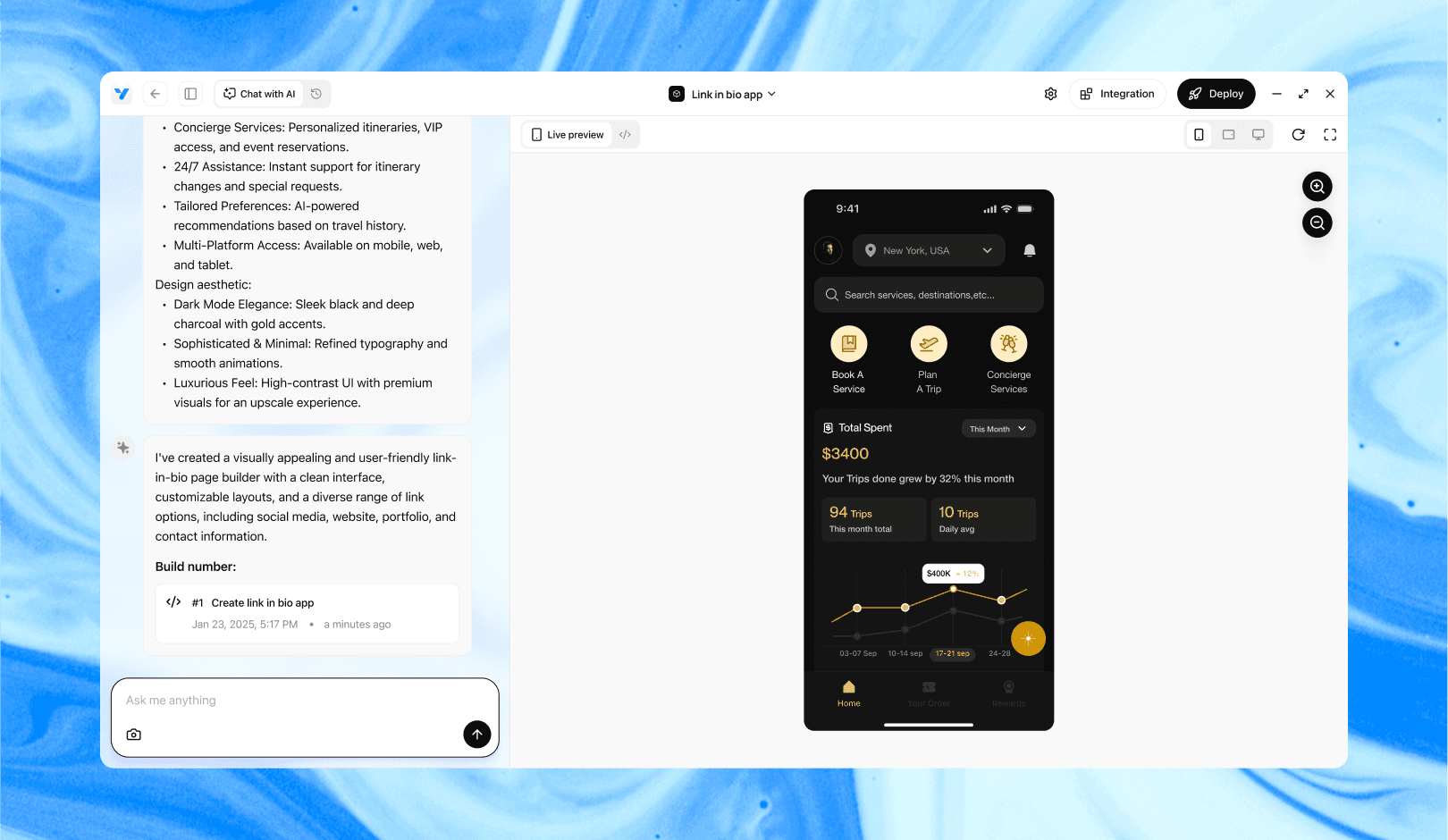
Vibe Studio, powered by Steve’s advanced AI agents, is a revolutionary no-code, conversational platform that empowers users to quickly and efficiently create full-stack Flutter applications integrated seamlessly with Firebase backend services. Ideal for solo founders, startups, and agile engineering teams, Vibe Studio allows users to visually manage and deploy Flutter apps, greatly accelerating the development process. The intuitive conversational interface simplifies complex development tasks, making app creation accessible even for non-coders.
Conclusion
A pragmatic design system in Vibe Studio for Flutter focuses on a small, stable token surface, clear semantic naming, generated artifacts, and a lightweight component library that consumes tokens. Automate exports, version thoughtfully, and validate with visual tests and a component catalog. Following these rules reduces friction between designers and mobile engineers and keeps your Flutter apps consistent and maintainable.